🧭 Pathing
Well, Rick/Mouse2 in the corners, the central parts of corridors, and insert path node. Done, ez, gg.
If only — xD
Up on the top border of your 3D viewport: Rick → View → Paths Then Build All / Build Paths.
Now you’ll have lovely colourful representations of the routes zeds can take — looks something like this:
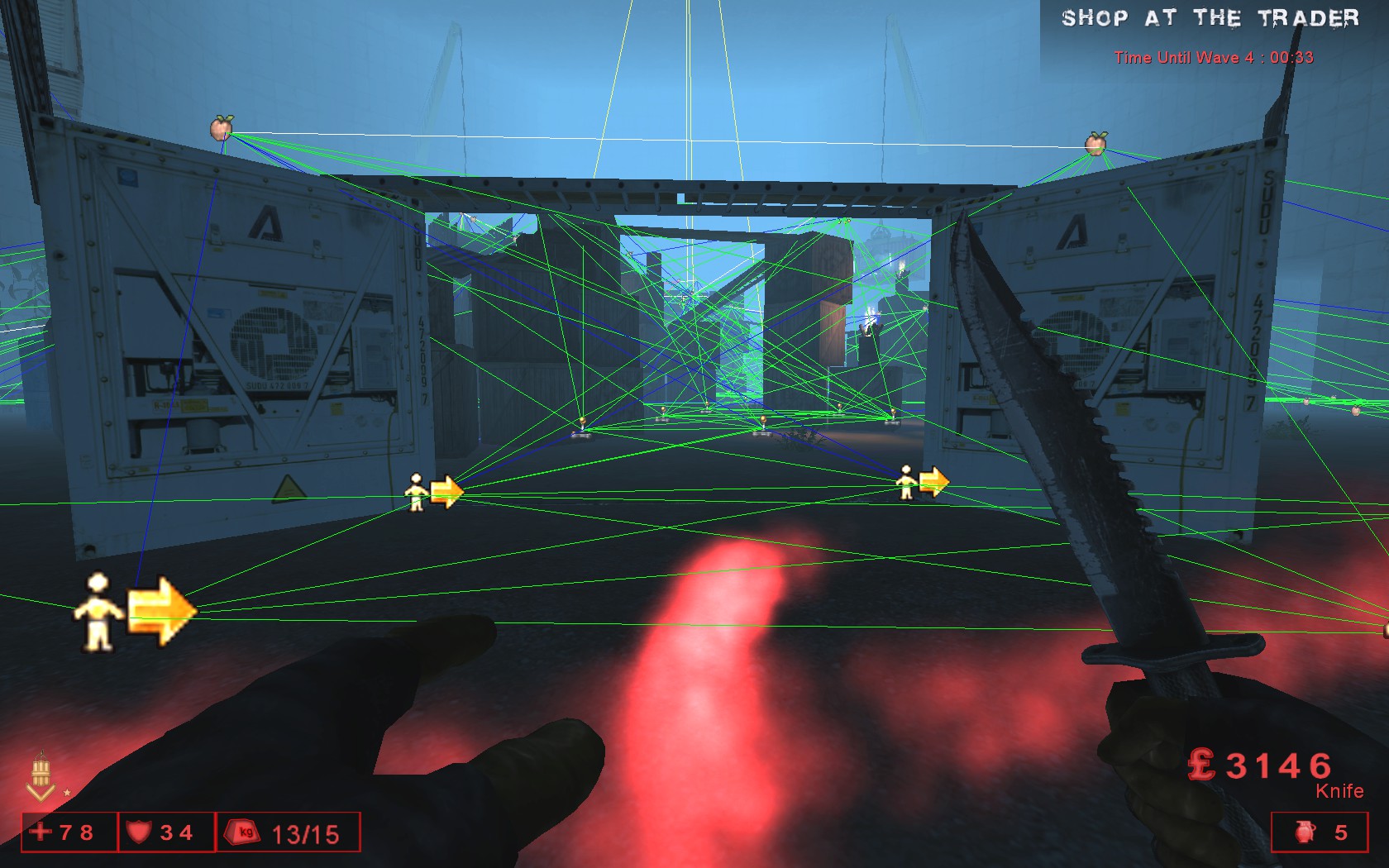
The different path colours are the editor’s way of showing how good each route is, how wide it is, and what it does. Here’s the gist:
Orange - Flying path, narrow. Light Orange - Flying path, wide. Light Purple - requires high jump (higher than normal jump capability). Blue - narrow path. Green - normal width. White - wide path. Pink - very wide path. Yellow - forced path. Red - "one-way" path (i.e. path going from node A->B, but B->A is proscribed).
^Now I had to grab this info from a UE3 site because documentation is so scarce, but it’s correct and triple-checked, also against the UE2 site map, lol.
If you have a blue path, you should try your best to rearrange the level or navigation points until it turns green. Keep path node placement clean, keep your lanes wide, only place pathnodes where needed, and give them enough space for a crowd — pathing will remain clean and consistent.
If zeds fall off platforms like stairs or pathways, the issue might be:
- Misplaced pathnodes
- A path that needs to be proscribed (disallowed)
- The section being too narrow (try widening it)
Or, just add railings 😛
And of course, sometimes — such as in the case of my KFO-BossArenaNerf map — you might feel that even though zeds fall off platforms occasionally and you’ve done your best to give them a clear route… Bad KF pathing can make a map fun. Who doesn’t want to see a menacing Patriarch charge at you, only to fall off a plank mere inches from your face?
FUN.
Notes to add: I’ll add more to this section maaaaaybe, if I feel like it. (ADD VIDEO?)